Generally PURGE command is used to clean up projects with high file sizes. This command will erase anything that is redundant and unnecessary. However, you will need PP lisp command for deleting unused line styles.
Records with the lisp according to the comments at safakyuce.blogspot.com: A big project with a 31 MB file size becomes 6 MB. An empty drawing file, which was 33 MB, becomes 0.064 MB
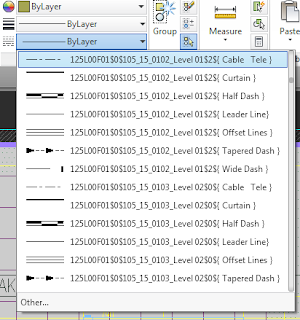
The PP.fas file has three commands. PP, PPQ, and PPA
PP command; First deletes the record file ACAD_DGNLINESTYLECOMP, then runs PURGE command.
PPQ command; First runs PP, then saves the file.
PPA command; First runs PP, then runs AUDIT, finishes with PURGE.
First, back up your project file. Open the project. Drag the PP.fas file into the AutoCAD window and leave the mouse button. Write PP to the command prompt and enter. There will be warning about the command may harm the file. Press Y then enter.
PS: AutoCAD LT does not support lisp commands.
Comments